AI bookkeeping, with you in control

Bookkeeping for small businesses. Adam does the prep.

Adam is your AI agent. He sorts your bank and card lines, matches payments to invoices and bills, and drafts entries; nothing is recorded until you approve. Your invoices, bills, VAT returns and reports live in the same set of books.

No card needed. Your first step: a PDF or CSV statement from your bank. Try any paid plan free for 14 days.

Month-end, the old way

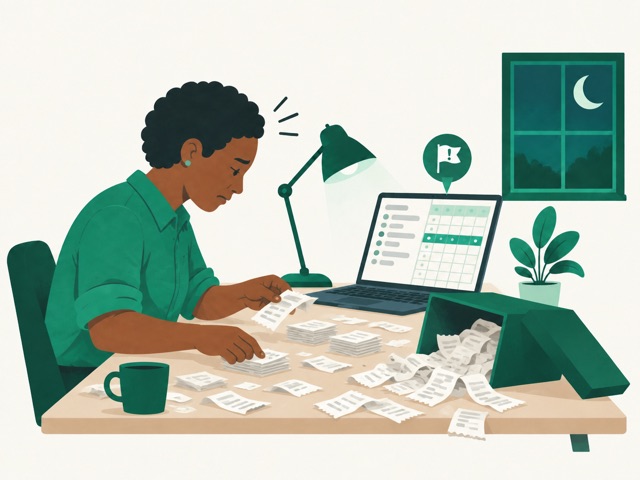
You download the statement, paste it into a spreadsheet, and guess what “POS 4471” was. Customers pay late and you find out weeks later. Then the VAT return is due and you’re rebuilding the quarter from receipts. You only learn how much runway you had when your accountant finishes, months after it mattered.

Meet Adam, the new way

Ask Adam. He does the prep, you approve.

Adam reads your books, suggests what to do, and explains your numbers in plain English. Nothing lands in your books until you say yes.

“Sort last month's bank lines.”

Adam suggests a category for every line you haven't recorded yet. Your own rules go first; Adam fills the gaps. Approve them one by one or all at once.

Clarity

Books that match your bank, line for line.

Teach Zirano your bank's PDF statement once; after that, every import is read on your device and checked against the running balance before anything is saved. You stop retyping lines, and the books reconcile to the statement.

  • Categorised before you open it. Your rules record the same payees the same way every time, and Adam proposes the rest, each with a reason and a confidence level.
  • CSV statements import too, with a template for your bank's columns
  • Bank accounts and credit cards, each reconciled to its statement
  • Petty cash too: add a cash spend with its receipt photo, top up from the bank in one step, and count the tin

Invoicing & bills

Know who owes you, today.

Invoices, bills and payments are matched as the bank lines come in, so paid, part-paid and overdue are always current. Chasing starts the day something is late, not at quarter-end.

  • Paid, part-paid and overdue, always up to date
  • Who owes you, and who you owe, by age
  • CSV templates for every import
  • Group invoices for members, classes or tenants, with who's paid at a glance

Insight

Your VAT return and runway, always ready.

Your VAT return is prepared from the same books, with every figure traceable to its lines, and cash, burn and runway update as you approve.

  • A check-up every time you look. A heartbeat for each of the last 12 months, runway, your margin next to your usual, and what's owed both ways, worked out from your books on every plan.
  • Runway and burn from the last three full months
  • VAT on invoices, bills and bank lines
  • An accountant view with the full trial balance

Zirano prepares VAT returns under Bahamas VAT rules today; it does not give tax advice. How Zirano prepares a Bahamas VAT return

One set of books

Everything your books need.

Beyond the bank: the rest of running your books, in the same place, kept in step by the same ledger.

  • Quotes that turn into invoices.

    Send a quote; when it's accepted, one click makes the invoice, linked both ways.

  • Bills without the typing.

    Drop in the vendor's PDF and the vendor, dates and amounts are filled in, read on your device.

  • Statements your customers can pay from.

    Opening balance, every invoice and payment, and what's overdue, emailed or printed in a click.

  • Profit by job.

    Tag invoices, bills and bank lines to a project and see its income, costs and profit (Growth and Scale).

  • Cards and petty cash, reconciled.

    Upload the card statement like a bank statement. For cash, snap the receipt (Adam can read it on paid plans), record it, and count the tin.

  • Equipment that depreciates itself.

    Add an asset once; depreciation posts every month (Growth and Scale).

  • Your accountant, in for free.

    Team members with their own roles (unlimited on paid plans), an accountant view with the full trial balance, and months you can lock once they're closed.

  • Invoice a whole group.

    One invoice to every member of a group, such as dues, fees or rent. Then see who's paid, remind the rest, and record a deposit that covers several at once.

Honest about what we do

No surprises.

What Zirano does

  • Keeps real double-entry books. Nothing is edited or deleted; corrections are reversals you can see
  • Imports bank statements (CSV and PDF) and reconciles them
  • Invoices (one at a time or to a whole group), quotes, bills, purchase orders, credit notes, customer statements, products and stock, projects and fixed assets
  • Prepares VAT returns from your books
  • Shows cash, burn and runway, and a check-up of your books, and explains them

What we're transparent about

  • Adam suggests; nothing is recorded until a person approves it
  • We prepare VAT returns; we don't give tax advice
  • VAT returns follow Bahamas rules today; other countries' rules are being added
  • One currency per workspace today (multi-currency is coming)
  • Bank and card statements come in by import; live feeds aren't available yet
  • No payroll: wages are recorded from your bank lines like any other spending
  • The check-up is a picture of your books, not financial advice

Pricing

Priced by the bank lines you import.

Start free on up to 20 bank lines a month, or try any paid plan free for 14 days, no card needed.

Software

Free

Then Starter, Growth and Scale from $15 a month ($12.50 billed yearly), for 100 to 2,000 bank lines.

See plans

Professional services

From $599/mo

A partner bookkeeping firm keeps your books in Zirano for you.

See services

Bookkeepers & accountants

Practice pricing

Run all your clients' books from one login, with pricing that gets cheaper per client as you add more.

See how it works for practices

Questions

Before you import anything.

What do I need to get started?

Your email address to sign in, and a bank statement: a CSV, or a PDF from your bank. Choose your business's currency and import.

Will Adam change my books without asking?

No. Adam can read your books and suggest entries, but every suggestion waits for a person to approve it, and every correction is recorded as a visible reversal.

What's the check-up?

A picture of how the business is doing, worked out from your books each time you open your overview: a heartbeat for each of the last 12 months (a red beat below the line is a month that lost money), how long your cash would last, your margin next to your usual (the same months last year, so a quiet season isn't read as a decline), and what's owed both ways. Tap a reading to see the number behind it. It's on every plan, including Free, and it's a picture of your books, not financial advice.

Can I get my data out?

Yes. Download your profit and loss, balance sheet, trial balance and stock reports as CSV whenever you like.

Can I move my business over from another system?

Yes. Import your chart of accounts and opening balances straight from a Xero or QuickBooks export, then your customers, vendors, products, stock, open invoices and bills from our CSV templates, then your bank and card statements.

Is there a free plan?

Yes. The Free plan has no time limit. It includes up to 20 bank lines a month, invoices, bills, contacts, reports, VAT returns and the check-up, for the owner and one other person, such as your accountant. Adam and the fixed asset register are on the paid plans.

Does my accountant need their own plan?

No. Your accountant or bookkeeper joins your workspace free, with an accountant view of the full trial balance and journals. Team members are unlimited on every paid plan, and the Free plan includes the owner and one other person, so there's room for your accountant there too.

Can I invoice all my members at once?

Yes. Put your members (or students, or tenants) in a group, then invoice the group: each person gets their own invoice, as drafts you check before issuing. You’ll see who has paid, can email reminders to everyone who still owes, and can split one bank deposit across several members. It can repeat every month, quarter or year, and it’s on every plan, including Free.

Does it do quotes, purchase orders and projects?

Yes. Quotes turn into invoices and purchase orders into bills in one click. Projects (on Growth and Scale) show income, costs and profit per job.

What about credit cards?

Add each card as an account and upload its statement (PDF or CSV). Purchases are recorded as spending and what you owe stays reconciled. Live bank and card feeds aren't available yet.

What about cash and receipts?

Add a Cash account for your petty cash. Add each cash spend with a photo of the receipt; on paid plans Adam reads the date, total and VAT for you to check, and nothing is recorded until you add it. A withdrawal to top up the tin is recorded as one transfer, bills and invoices can be marked paid in cash, and counting the tin shows any difference to record.

Does it work with my bank?

Yes. Upload your statement as a PDF or CSV, from a chequing account or a credit card. Zirano learns your bank’s statement layout once, checks a PDF statement against its opening and closing balances before anything is imported, and skips lines you’ve already imported. Live bank feeds aren’t available yet.

Which countries' VAT does it prepare?

The Bahamas, today. Choose monthly or quarterly filing, and Zirano works out each period and its due date (the 21st of the following month, or the large-taxpayer date). It prepares the return from your invoices, bills and bank lines, with every figure traced to its lines. You submit it to the Department of Inland Revenue yourself, and Zirano records it as filed. Zirano prepares VAT returns; it does not give tax advice.

Is my bank statement uploaded somewhere?

No. PDF statements are read in your browser; only the lines you choose to import are saved, plus the statement's column layout so the next one reads automatically.

Is Zirano SOC 2 certified?

Not yet. Zirano runs on providers that each hold a SOC 2 Type II report (Convex for your data, Vercel for hosting, Resend for email and Anthropic for Adam), and the Security page explains what we do on top of that.


Your numbers should not keep you up at night.

Import one statement and see this month's books, reconciled.

Start free